How to Stop Annoying Google and Win at Core Web Vitals
I once waited for a website to load for so long, I grew a beard, learned to knit, and questioned all my life choices. By the time the main image appeared, I had forgotten why I was even there. It turns out, Google is just as impatient as I am, and it has a special name for this digital frustration: Core Web Vitals. This isn’t just tech jargon; it’s Google’s report card on your site’s user experience. A bad grade can seriously hurt your google ranking, turning your website into a digital ghost town.
Think of it as Google’s way of protecting its users from slow, clunky sites. They want to send people to places that work well. If your site is a technical mess, why would they recommend it? As I learned, getting these vitals in check is a huge step in making sure Google doesn’t hate your slow turtle site.
The “Big Three” Vitals Demystified (Without the Nerd-Speak)
Google’s Core Web Vitals are made up of three main metrics. Let’s break them down in a way that doesn’t require a computer science degree.
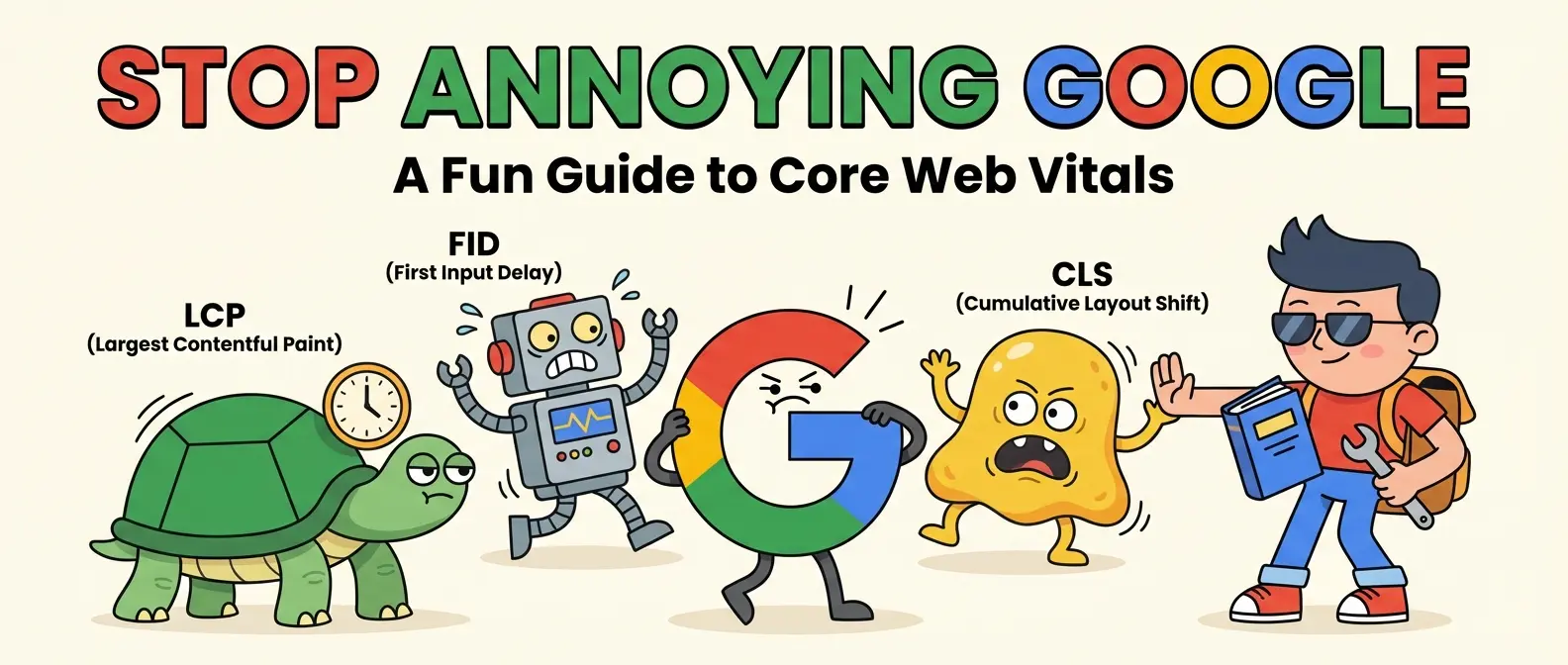
- Largest Contentful Paint (LCP): This is the “How fast does the main event show up?” metric. It measures how long it takes for the largest, most important piece of content (like a hero image or a big block of text) to become visible. A slow LCP is like a movie that takes 20 minutes to get past the opening credits.
- Interaction to Next Paint (INP): This used to be First Input Delay (FID), but INP is the new, smarter kid on the block. It measures the “Does this button actually work?” feeling. When a user clicks, taps, or types, how quickly does the page react? A bad INP score is the cause of “rage-clicking,” where you hammer a button and suddenly you’ve bought 17 rubber chickens.
- Cumulative Layout Shift (CLS): My personal arch-nemesis. This is the “Stop moving the furniture!” metric. It measures how much your page’s content unexpectedly jumps around as it loads. If you’ve ever tried to click a link only for an ad to pop in and make you click on something else, you’ve experienced bad CLS. It’s a frustrating mess, and I’ve fought my own battle to stop a site’s drunken wobble and fix it.
My Mission to Tame the Speed Demons: Actionable Fixes
Knowing what the vitals are is one thing; actually improving your site performance is another. Here are the main culprits I’ve hunted down and how you can fix them.
See It In Action
Tackling LCP: The Image Assassin
More often than not, a slow LCP is caused by a giant, unoptimized image. Your 10MB photo of a cat in a hat is majestic, but it’s also a performance killer.
- Compress Your Images: Use tools like TinyPNG or a WordPress plugin to shrink image file sizes without sacrificing too much quality.
- Use Next-Gen Formats: Serve images in formats like WebP, which offer better compression than old-school JPEGs and PNGs.
- Optimize Your Server: A slow server is like trying to run a race in quicksand. Investing in good hosting can dramatically improve your server response time. You don’t want a bloated website sitting on a slow server; it’s a recipe for disaster.
Fighting INP Lag: The JavaScript Jungle
Heavy JavaScript is usually the villain behind a laggy, unresponsive page. It’s like the glitter of the web—a little makes things sparkle, but too much and you’re finding it in your cereal for weeks.
- Break Up Long Tasks: If you have a massive script running, it can block the browser from doing anything else. Break it into smaller chunks so the browser can breathe and respond to user input.
- Remove Unused Code: Your site might be loading scripts for features you don’t even use anymore. Conduct a “code audit” and get rid of the dead weight.
- Be Mindful of Heavy Elements: Complex animations or interactive features can be demanding. This is especially true for things like 3D web design that won’t melt your laptop; performance has to be a priority from the start.
Calming CLS Jumps: The Layout Lifeguard
Stopping your page from doing the Harlem Shake is all about telling the browser what to expect before it loads.
- Specify Image & Video Dimensions: Always include width and height attributes in your image and video tags. This way, the browser saves a correctly-sized placeholder for the media before it even loads.
- Reserve Space for Ads & Embeds: If you have ads or embedded content (like a YouTube video), define a container with a specific size for them so they don’t push your other content down when they finally appear.
- Beware of Font Swapping: Web fonts can sometimes cause a “flash” where text appears in a default font before swapping to your custom one, causing a layout shift. Use font-display properties to manage this better.
The Glorious Payoff: Better Rankings and Happier Humans
Fixing your core web vitals isn’t just a technical chore to please Google’s algorithms. It’s about respecting your visitors’ time. A better page speed and smoother experience lead to happier users who stay longer, interact more, and are more likely to convert. Those are powerful signals that tell Google your site is a quality destination.
Ultimately, improving your site performance is a huge piece of the puzzle in the grand quest to tame Google’s robot overlords. So go forth, check your scores in Google Search Console, and start optimizing. Your users will thank you, and your google ranking just might, too.