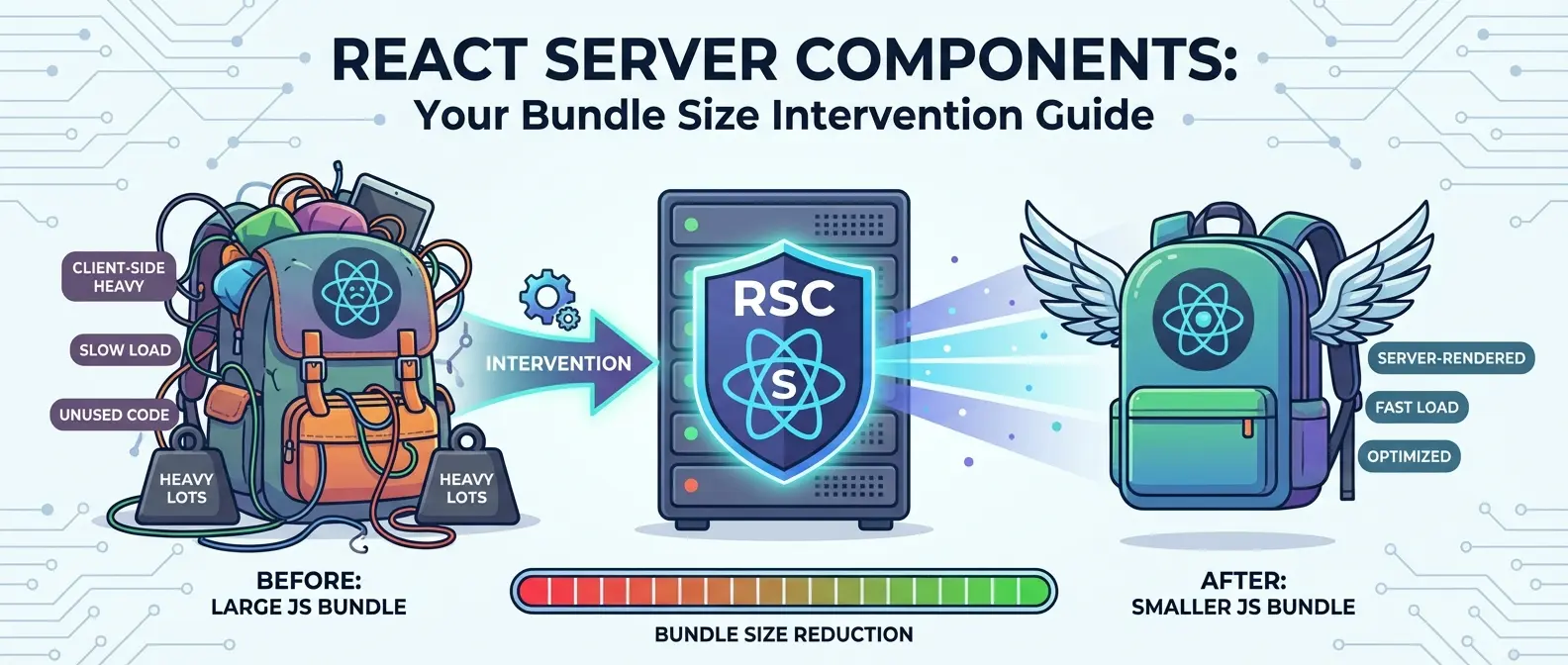
React Server Components: Because Your Bundle Size Needed Therapy
Look, I’ve been writing React JS for years, and I thought I’d seen it all. Client-side rendering, server-side rendering, static site generation—the whole circus. Then React Server Components showed up, and honestly? I spent three days confused before the lightbulb finally clicked.
If you’re a frontend dev who’s been happily living in client-land, Server Components might feel like someone just moved your cheese. But here’s the thing: they’re actually pretty brilliant once you get past the initial “wait, what?” phase.
What Even Are React Server Components?
Server Components are React components that run exclusively on the server. They never touch the browser. Zero JavaScript shipped to the client for these bad boys.
I know what you’re thinking: “Isn’t that just… server-side rendering?” Nope. SSR renders components on the server, then hydrates them on the client with a full JavaScript copy. Server Components don’t hydrate at all. They render once, ship the output as a special format, and call it a day.
Think of it like this: traditional React components are like actors who perform live in your browser. Server Components are pre-recorded videos—they do their thing once on the server, and your browser just plays back the results.
The Mental Model That Finally Made It Click
You’ve got two types of components now:
- Server Components – Run on the server, can’t use hooks like useState or useEffect, can directly access databases and filesystems
- Client Components – Your traditional React components, marked with ‘use client’ directive, can use all the interactive hooks you know and love
Server Components can import and render Client Components. But Client Components can’t directly import Server Components. If that sounds backwards, welcome to my initial confusion.
Why Should Frontend Devs Care?
Because your bundle sizes are probably obscene, and your users are suffering for it.
I recently audited a React app that shipped 400KB of JavaScript just to render a blog post with a comments section. The blog content itself? Could’ve been static HTML. The commenting logic? Sure, that needs interactivity. But we were paying the bundle tax for everything.
Server Components let you split that up. Your data-fetching code, your markdown parser, your massive date manipulation library—all that stays on the server. Only the interactive bits ship to the browser.
Real-World Example Time
Let’s say you’re building a product page. Traditional React approach: fetch product data client-side, show a loading spinner, render everything with JavaScript.
With Server Components:
- Product details? Server Component. Renders instantly with the data already there.
- “Add to Cart” button? Client Component. Needs onClick handlers and state.
- Reviews list? Server Component. Just data presentation.
- Review submission form? Client Component. Interactive by nature.
Your users get meaningful content instantly, and you’re only shipping JavaScript for the parts that actually need it. Your Core Web Vitals will thank you.
Next JS and the Server Components Reality Check
Here’s where it gets practical: Next.js 13+ (with the App Router) is currently the main way most devs are using Server Components in production. React’s official Server Components implementation is still pretty experimental if you’re not using a framework.
Next JS made the controversial decision to make all components Server Components by default. You explicitly opt into Client Components with that ‘use client’ directive. This flipped a lot of people’s mental models upside down.
When I first migrated a project to the App Router, I slapped ‘use client’ on everything because I didn’t understand what was happening. Don’t be me. Take the time to think about what actually needs client-side interactivity.
The “Use Client” Boundary
That directive isn’t just a label—it’s a boundary. Everything imported by a Client Component becomes client-side code. So if you mark your root layout as a Client Component because you wanted one useState, congrats! Your entire app is now client-rendered.
Push ‘use client’ as deep into your component tree as possible. Only mark the leaves that need interactivity.
What You Can and Can’t Do
Server Components can:
- Use async/await at the component level (this is wild—no more useEffect for data fetching)
- Access backend resources directly—databases, file systems, APIs with private keys
- Import massive server-only libraries without worrying about bundle size
- Read cookies and headers from the request
Server Components can’t:
- Use useState, useEffect, or any hook that relies on browser APIs
- Access window or document objects (they don’t exist on the server, obviously)
- Use browser-only features like localStorage
- Attach event handlers directly (onClick, onChange, etc.)
Client Components are just regular React components. They work exactly like you’re used to, but you have to be intentional about creating that client boundary.
The Frontend Rendering Shift
This changes how we think about frontend rendering fundamentally. We’ve spent years optimizing client-side performance—code splitting, lazy loading, memoization. Server Components ask: what if you just didn’t ship that code at all?
It’s not about replacing client-side React. It’s about being smarter with what runs where. Data fetching and presentation? Server. User interactions and dynamic UI? Client. Stop making your users download and parse JavaScript for stuff that could’ve been HTML.
The Streaming Advantage
Server Components can stream. Not everything needs to wait for the slowest data fetch. You can send the fast stuff first, then stream in the slow parts as they’re ready.
Your user sees a functional page immediately, even if some sections are still loading. That’s a way better experience than staring at a blank screen or a full-page spinner. Frontend performance suddenly includes server-side strategy.
Common Pitfalls I’ve Stepped In
Accidentally importing server code into Client Components. Did this about fifty times. Your database client library doesn’t belong in the browser, no matter how convenient that import feels.
Forgetting that Server Components re-render on navigation. They’re not static—they run fresh on every request by default. Cache strategically or you’ll hammer your database.
Prop drilling Server Component data through Client Components to reach another Server Component. You can’t do that—the client boundary breaks the chain. Pass serializable data or rethink your component structure.
Trying to pass functions as props from Server to Client Components. Functions aren’t serializable. You’ll get a runtime error and question your life choices.
Should You Actually Use This?
If you’re starting a new Next JS project, yes. The defaults push you in the right direction, and the performance benefits are real.
If you’re maintaining an existing React app, maybe not yet. Migration isn’t trivial, and the ecosystem is still maturing. Not every library plays nice with Server Components.
If you’re building a highly interactive dashboard where everything needs client-side state, Server Components might not buy you much. They shine when you have content-heavy pages with pockets of interactivity.
The Learning Curve Is Real
I’m not gonna sugarcoat it—this requires unlearning some habits. You can’t just useEffect your way through data fetching anymore. The client/server mental model takes time to internalize.
But once it clicks? Your apps get faster, your bundle sizes shrink, and your users stop rage-quitting because your site takes five seconds to become interactive.
The Bigger Picture
React Server Components represent a philosophical shift. For years, we’ve been moving everything to the client. Single-page apps became the default, even when they didn’t make sense.
Server Components say: maybe the pendulum swung too far. Maybe we can get the best of both worlds—rich interactivity where you need it, efficient server rendering where you don’t.
Is it perfect? No. The DX is still rough in places, the tooling is catching up, and the community is still figuring out best practices. But the core idea is sound: ship less JavaScript, make faster apps.
As someone who’s built way too many bloated React apps, I’m cautiously optimistic. Server Components won’t solve all your problems—you can still write terrible code with them. But they give you better tools to write good code.
And honestly? After years of watching bundle sizes balloon and performance tanks, I’ll take any help I can get.