
Getting Email Delivered: SPF, DKIM, DMARC, and the Setup I Actually Run
Part of Making Money From a Small Site and Small Business Websites
By Paul Peery · August 6, 2026 · 4 min readUpdated August 13, 2026
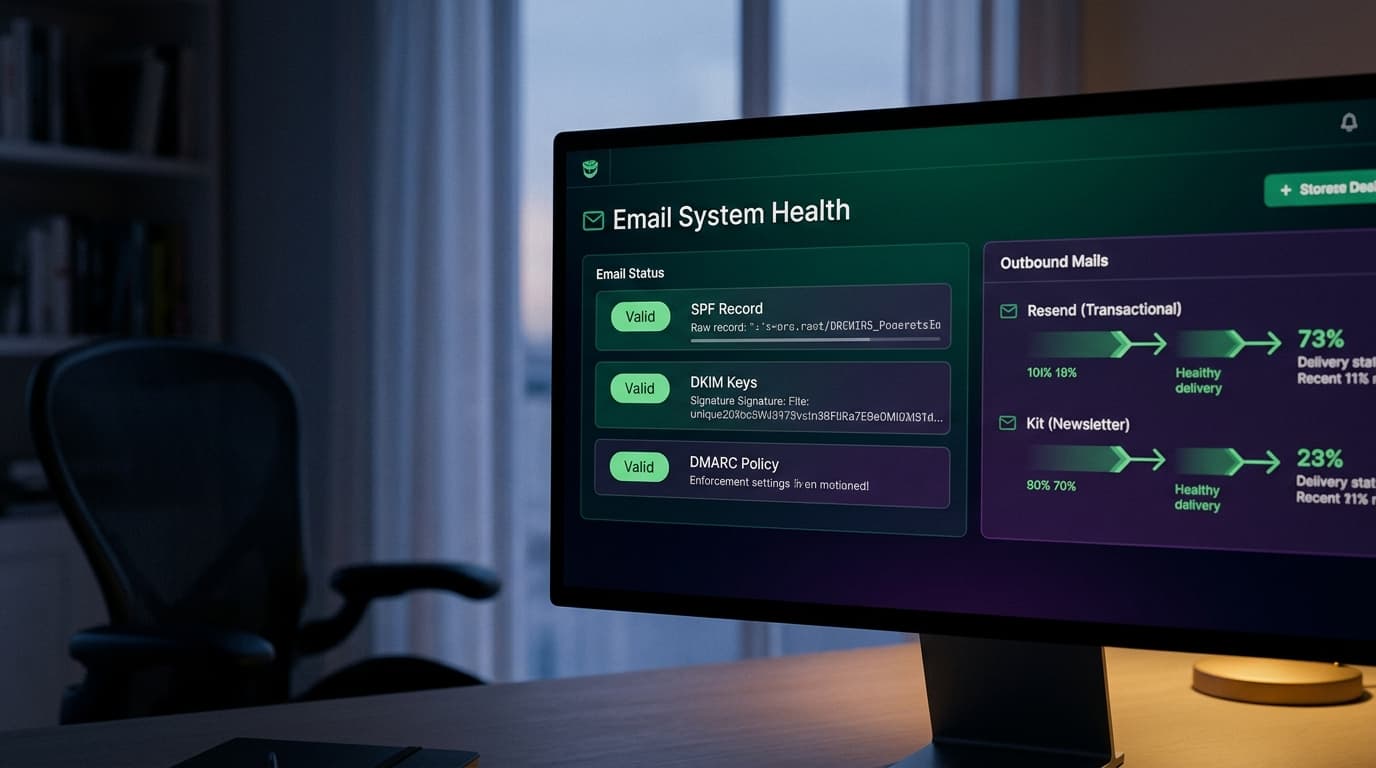
Email is the part of a website that fails silently. A broken page throws an error; a broken email setup just… delivers less, to fewer inboxes, with no error anywhere on your side. Someone requests a password reset, nothing arrives, and they conclude your site is broken — because from where they sit, it is.
Here's the setup this site actually runs, and the reasoning, so you can copy it.
Split your mail in two — on purpose
The first structural decision: transactional mail and marketing mail run on different services. Sign-in links, receipts, comment notifications, and request replies go through Resend. The newsletter goes through Kit. This isn't indecision — it's blast-radius control.
Sender reputation is tracked per source, and marketing mail is where reputation accidents happen: a stale list, a spam-report spike, one bad campaign. If your newsletter and your password resets share a reputation, a newsletter mistake can take down sign-in — the single most important email you send. Split them and the failure stays contained. The newsletter service also handles the things marketing mail legally and practically needs (subscription management, bulk sending patterns) that transactional mail shouldn't be anywhere near.
The three DNS records that decide your fate
Mail providers don't trust senders; they trust domains with paperwork. The paperwork is three DNS TXT records:
SPF answers "which servers may send mail claiming to be from this domain?" — a list you publish. A receiving server checks the actual sending server against it.
DKIM is a cryptographic signature on each message, with the public key published in your DNS. It proves the message wasn't altered and genuinely came from someone holding your key. Your sending service generates the key; you publish the record they give you.
DMARC is the policy tying them together: what should receivers do with mail that fails the checks, and where should they send reports? Start with p=none — monitor without rejecting — and tighten once you've seen the reports. Since Gmail and Yahoo formalized their bulk-sender rules, a DMARC record moved from "nice to have" to "expected," along with working one-click unsubscribe on anything bulk.
None of these is hard. All of them are forgettable — which is the actual problem.
Make the DNS check itself, forever
The part of my setup I'd defend hardest: the site's own health page looks up those DNS records live and renders a verdict. It checks SPF (including on the sending subdomain my provider uses — a legitimate configuration that naive checks miss), verifies the DKIM key is published, and warns if DMARC is absent — with the exact record to add, not just a red X.
Why build that? Because DNS breaks sideways: a domain transfer, a registrar migration, a well-meaning cleanup of "unused" TXT records — and nothing visibly fails. Mail just starts landing in spam, and you find out weeks later from a confused reader. A check that runs whenever I open the health page turns a silent month-long rot into a same-day fix. If you build nothing else from this post, build the habit: after any DNS change, verify all three records still resolve.
The habits that keep a sender clean
- Warm up gradually. A brand-new domain that sends a thousand emails on day one looks exactly like a spammer, because that's exactly what spammers do. Start with the transactional trickle, grow the newsletter sends over weeks.
- Confirmed opt-in for the list. Every subscriber clicks a confirmation link before they count. A list with fake or mistyped addresses generates bounces, and bounces erode the reputation your password resets depend on.
- Never log the mail. My email code refuses to log message bodies in production — a sign-in email is a sign-in credential, and logs are the least-protected place data lives. In development it logs instead of sending, which is the same rule pointing the other direction.
- Escape everything user-written that gets interpolated into an email — a commenter's name lands in HTML mail, and mail clients render HTML with all the enthusiasm and none of the protections of a browser.
- Reply-to a real address. Deliverability aside, "do-not-reply" is a customer-service decision, and the wrong one for a small site — replies from readers are the point.
The one-paragraph version
Split transactional from marketing. Publish SPF, DKIM, and DMARC, and re-verify them after any DNS change — automatically if you can. Warm up slowly, confirm subscribers, and treat auth emails like the credentials they are. It's an afternoon of setup, and it's the difference between email that works and email that quietly doesn't.
This whole setup ships with the sites I build for client work — DNS records, health checks and all. The rest of the build-and-earn series lives under Building this site and Making money from a small site.
Keep reading
All posts
Why You Need Domain Email and How to Set It Up Cheaply
Sending business mail from a personal Gmail address hurts your credibility and deliverability. Here are the realistic email hosting options and the DNS settings that keep your mail out of spam.
August 12, 2026 · 4 min read